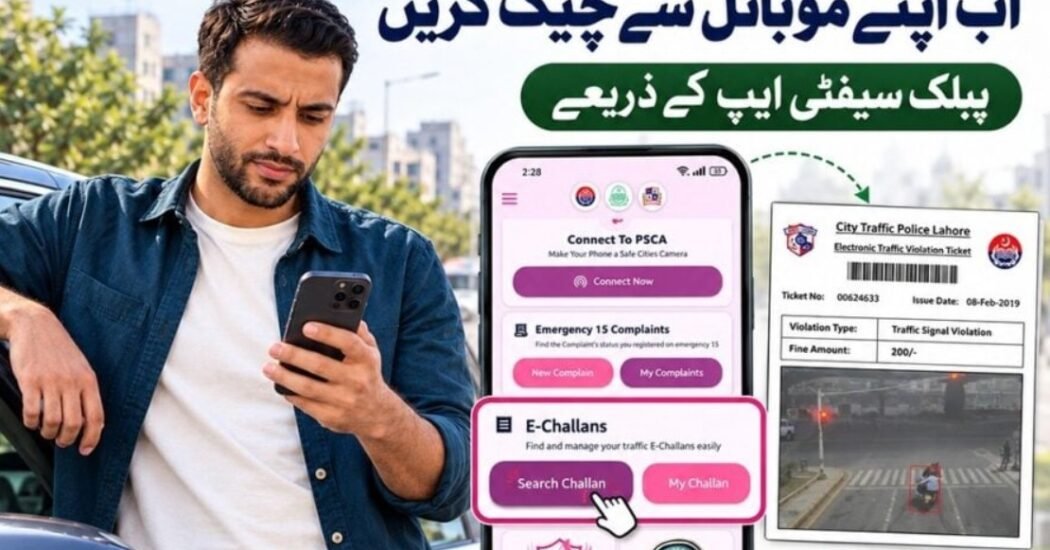
Punjab vehicle owners can now check their traffic e-challans directly through the Punjab Safe Cities Authority’s Public Safety App, allowing motorists to view traffic violations without visiting a traffic police office.
Punjab Police highlighted the facility on October 27, advising citizens to use the official PSCA app and select the Search Challan option. The application is available for both Android and iPhone.
How to Check Punjab E-Challan Online
The process is straightforward.
Step 1: Install the PSCA Public Safety App
Download the official PSCA – Public Safety application published by the Punjab Safe Cities Authority.
The application is available on both major mobile platforms. Its official listing confirms that users can check, download and manage e-challans from the app.
Step 2: Open the E-Challan Section
Open the app and find the E-Challans option.
Select:
Search Challan
to start checking the vehicle’s traffic violation record.
Step 3: Enter Vehicle Information
Enter the vehicle registration number requested by the system.
Depending on the service, users may also be asked for the vehicle owner’s CNIC or chassis number.
Make sure the information matches the official vehicle registration record.
Step 4: Check Pending Challans
Submit the information.
Available records may show details including:
- violation date;
- type of traffic offence;
- fine amount; and
- challan status.
Users can also download available challans for their records.
Can You Check E-Challan Without the App?
Yes.
PSCA also operates its official online e-challan service for checking traffic violations.
Punjab Safe Cities Authority has repeatedly advised citizens to use only its official e-challan portal or Public Safety App, particularly because fake websites have previously attempted to collect fraudulent payments. More than 100 fake e-challan domains were blocked earlier in 2026.
Beware of Fake E-Challan Messages
This is particularly important.
PSCA has said legitimate e-challan SMS messages are sent from 8070 and has warned that it does not ask citizens to provide card numbers, PIN codes or banking security information through SMS.
Vehicle owners should avoid clicking suspicious payment links received through unknown numbers.
Other PSCA Public Safety App Features
The app offers more than traffic challan checking.
Available services include complaint registration and tracking, Police 15 assistance, Virtual Women Police Station services, emergency contacts and other public-safety features.
Final Word
Punjab motorists can now check outstanding e-challans from their phones through the PSCA Public Safety App.
The process requires only a few steps: open the app, select Search Challan, provide the requested vehicle details and review the available violation record.
For security, citizens should use only official Punjab Safe Cities Authority services and avoid unofficial e-challan websites or payment messages.